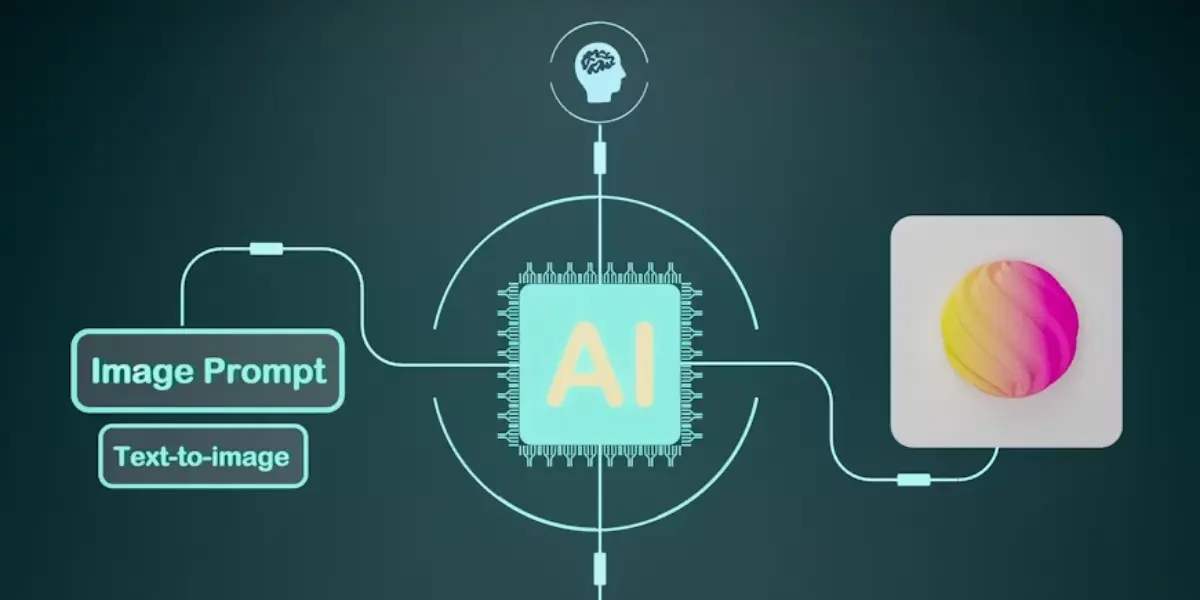
Creating a presentation used to take hours — choosing a template, designing slides, picking fonts, adjusting layouts, and writing content that actually makes sense. Today, AI tools for presentation making have completely changed that process. With just a short prompt or an outline, these tools can generate complete, professional-looking presentations in minutes. 10 Best AI Tools for Presentation Making in 2026
Whether you're a student preparing for a class project, a business professional building a pitch deck, or a marketer creating a client proposal, AI-powered presentation tools can save you time, improve design quality, and help your content stand out.
In this guide, we'll explore the top AI tools for presentation making, how they work, their key features, pricing, and how to choose the right one for your needs.
Why Use AI Tools for Presentation Making?
Before diving into the list, let's understand why these tools have become so popular:

- Speed – Generate a full slide deck in minutes instead of hours.
- Design Quality – AI tools come with professionally designed templates, so even non-designers can create visually appealing slides.
- Content Generation – Many tools can write slide content, bullet points, and speaker notes automatically based on your topic.
- Consistency – AI ensures consistent fonts, colors, and layouts across all slides.
- Customization – Most tools allow you to edit, rearrange, and personalize the AI-generated content.
- Cost-Effective – Many AI presentation tools offer free plans or affordable subscriptions compared to hiring a designer.
Now let's look at the best AI tools for presentation making available today.
Gamma
Gamma is one of the most popular AI tools for presentation making, known for turning simple text prompts into beautifully designed presentations, documents, and webpages.
Key Features:
- Generates entire presentations from a single prompt or outline
- Smart layout adjustments based on content length
- Built-in image generation and stock photo integration
- Easy export to PDF or sharing via web link
- Collaborative editing for teams
Best For: Quick pitch decks, startup presentations, and content-heavy slides.
Pricing: Free plan available; paid plans start at a low monthly cost with more credits and features
.
Tome
Tome is an AI-powered storytelling and presentation tool that focuses on narrative flow. It's particularly popular among startups and creative professionals for building investor decks.
Key Features:
- AI generates a full narrative structure based on your topic
- Integrates AI-generated images directly into slides
- Real-time collaboration
- Embeds videos, links, and interactive elements
- Mobile-friendly viewing experience
Best For: Investor pitches, product launches, and storytelling-driven presentations.
Pricing: Free tier with limited AI credits; premium plans unlock unlimited generations.
Beautiful.ai
Beautiful.ai uses smart templates that automatically adjust design elements as you add content. It's designed to make every slide look professionally designed without manual formatting.
Key Features:
- Smart slide templates that auto-adjust spacing, alignment, and sizing
- AI-generated design suggestions
- Built-in presentation analytics (track viewer engagement)
- Team libraries for brand consistency
- Wide range of chart and data visualization options
Best For: Business presentations, sales decks, and corporate reports.
Pricing: Paid plans only, with a free trial available.
Canva Magic Design (Presentations)
Canva, already a favorite for graphic design, has integrated AI through its "Magic Design" feature. Simply describe your presentation topic, and Canva generates a full deck with text, images, and layouts.
Key Features:
- AI-generated slide designs based on prompts
- Massive library of templates, icons, and stock images
- Easy drag-and-drop customization
- AI writing assistant (Magic Write) for slide content
- Seamless integration with other Canva design tools
Best For: Students, marketers, and anyone needing quick, visually appealing presentations.
Pricing: Free plan with generous features; Canva Pro unlocks advanced AI tools.
SlidesAI
SlidesAI is a Google Slides add-on that converts text content into a structured presentation. It's a great option for those who already use Google Workspace.
Key Features:
- Converts blog posts, articles, or notes into slide decks
- Works directly inside Google Slides
- Multiple language support
- Customizable themes and color schemes
- Quick one-click generation
Best For: Educators, students, and Google Workspace users.
Pricing: Free plan with limited monthly generations; affordable paid tiers.
Plus AI
Plus AI is another Google Slides and PowerPoint add-on that helps generate, edit, and redesign presentations using AI.
Key Features:
- Generates slides directly within PowerPoint or Google Slides
- AI-powered slide redesign for existing presentations
- Content rewriting and summarization
- Brand kit integration for consistent styling
- Outline-to-presentation conversion
Best For: Professionals who prefer working within familiar tools like PowerPoint.
Pricing: Free trial available; subscription-based pricing for full access.
Decktopus
Decktopus is an AI presentation builder that focuses on creating business-ready decks with minimal effort. It also includes built-in analytics and interactive features.
Key Features:
- AI chatbot guides you through deck creation step-by-step
- Pre-built templates for sales, marketing, and HR
- Voiceover and presentation recording features
- Lead capture forms embedded in slides
- Analytics to track audience engagement
Best For: Sales teams, marketers, and business presentations requiring interactivity.
Pricing: Free plan with basic features; premium plans for advanced tools.
Microsoft Copilot for PowerPoint
Microsoft has integrated AI directly into PowerPoint through Copilot, allowing users to generate, redesign, and summarize presentations using natural language prompts.
Key Features:
- Generates slides from a prompt or existing document
- Summarizes lengthy content into concise slides
- Suggests design improvements automatically
- Works seamlessly within the Microsoft 365 ecosystem
- Supports voice commands for editing
Best For: Corporate users already using Microsoft 365.
Pricing: Requires a Microsoft 365 subscription with Copilot add-on.
Designs.ai (Design Suite)
Designs.ai offers a range of AI design tools, including a presentation maker that generates slides along with logos, videos, and other branding materials.
Key Features:
- AI-generated slide layouts and color schemes
- Integration with other design tools (logo maker, video maker)
- Large template library
- Multi-format export options
- Brand consistency across different design assets
Best For: Small businesses and freelancers needing an all-in-one design solution.
Pricing: Subscription-based with multiple pricing tiers.
Pitch
Pitch is a collaborative presentation tool with AI features designed specifically for teams. It combines design automation with project management features.
Key Features:
- AI-assisted slide creation and content suggestions
- Real-time team collaboration and commenting
- Built-in analytics for shared presentations
- Video recording and screen sharing within slides
- Workflow and approval features for teams
Best For: Teams and agencies working collaboratively on presentations.
Pricing: Free plan available; paid plans for larger teams.
How to Choose the Right AI Presentation Tool
- With so many options available, here's how to pick the best one for your needs:
1. Define Your Purpose
- Are you creating a business pitch, an educational presentation, or a creative portfolio? Tools like Tome are great for storytelling, while Beautiful.ai suits corporate decks.
2. Check Integration
- If your team already uses Google Slides or PowerPoint, tools like SlidesAI or Plus AI that work as add-ons may be more convenient than standalone platforms.
3. Consider Collaboration Needs
- For team projects, choose tools with real-time collaboration features, such as Pitch or Tome.
4. Evaluate Design Flexibility
- Some tools generate fixed layouts, while others (like Canva) offer extensive customization. Choose based on how much control you want over the final design.
5. Compare Pricing
- Most tools offer free plans with limited credits. Test a few before committing to a paid subscription.
Tips for Getting the Best Results from AI Presentation Tools
To get the most out of these tools, follow these best practices:

- Write Clear Prompts – The more specific your prompt (topic, audience, tone, number of slides), the better the AI-generated output.
- Review and Edit Content – AI-generated text is a starting point; always review for accuracy and tone.
- Maintain Brand Consistency – Use brand kits or templates to ensure your presentation matches your company's visual identity.
- Use High-Quality Images – If the AI suggests stock images, replace generic ones with relevant, high-quality visuals.
- Keep Slides Simple – Avoid overcrowding slides with text; let AI help you summarize key points.
Frequently Asked Questions (FAQs)
Q1. What is the best free AI tool for making presentations?
Canva's Magic Design and Gamma both offer strong free plans that allow you to create complete presentations without cost.
Q2. Can AI tools create presentations in PowerPoint format?
Yes, most AI presentation tools, including Gamma, Tome, and Canva, allow you to export presentations as PowerPoint (.pptx) files.
Q3. Are AI-generated presentations good enough for business use?
Yes, many businesses use AI-generated presentations for pitches, reports, and proposals. However, it's recommended to review and customize the content before presenting it professionally.
Q4. Do AI presentation tools work for students?
Absolutely. Tools like SlidesAI and Canva are especially popular among students for creating class presentations quickly and effectively.
Q5. Is it safe to use AI tools for confidential business presentations?
Always check the privacy policy of the tool you're using, especially for sensitive business information, and avoid uploading confidential data to free or unverified platforms.
Q6. Which AI presentation tool is best for beginners?
Canva Magic Design and Decktopus are both excellent for beginners since they guide users step-by-step and require no prior design experience.
Q7. Can AI tools generate speaker notes along with slides?
Yes, several tools including Gamma, Tome, and Plus AI can automatically generate speaker notes based on the slide content, saving extra preparation time.
Q8. Do I need design skills to use AI presentation tools?
No. These tools are specifically built so that anyone, regardless of design background, can produce polished, professional-looking presentations.
Q9. How long does it take to create a presentation with AI?
Most AI presentation tools can generate a full deck of 10-15 slides in under 5 minutes, though refining content and design may take a bit longer.
Q10. Can I edit an AI-generated presentation after it's created?
Yes, all the tools listed above allow full editing after generation, including changing text, images, layouts, colors, and slide order to match your preferences.
Final Thoughts
AI tools for presentation making have made it easier than ever to create professional, engaging slides without design experience. Whether you choose Gamma for quick AI-generated decks, Canva for creative flexibility, or Microsoft Copilot for seamless PowerPoint integration, these tools can dramatically reduce the time and effort needed to build effective presentations.
As AI technology continues to evolve, expect even more advanced features like real-time voice narration, smarter design suggestions, and deeper integration with business tools — making presentation creation faster and smarter than ever before.